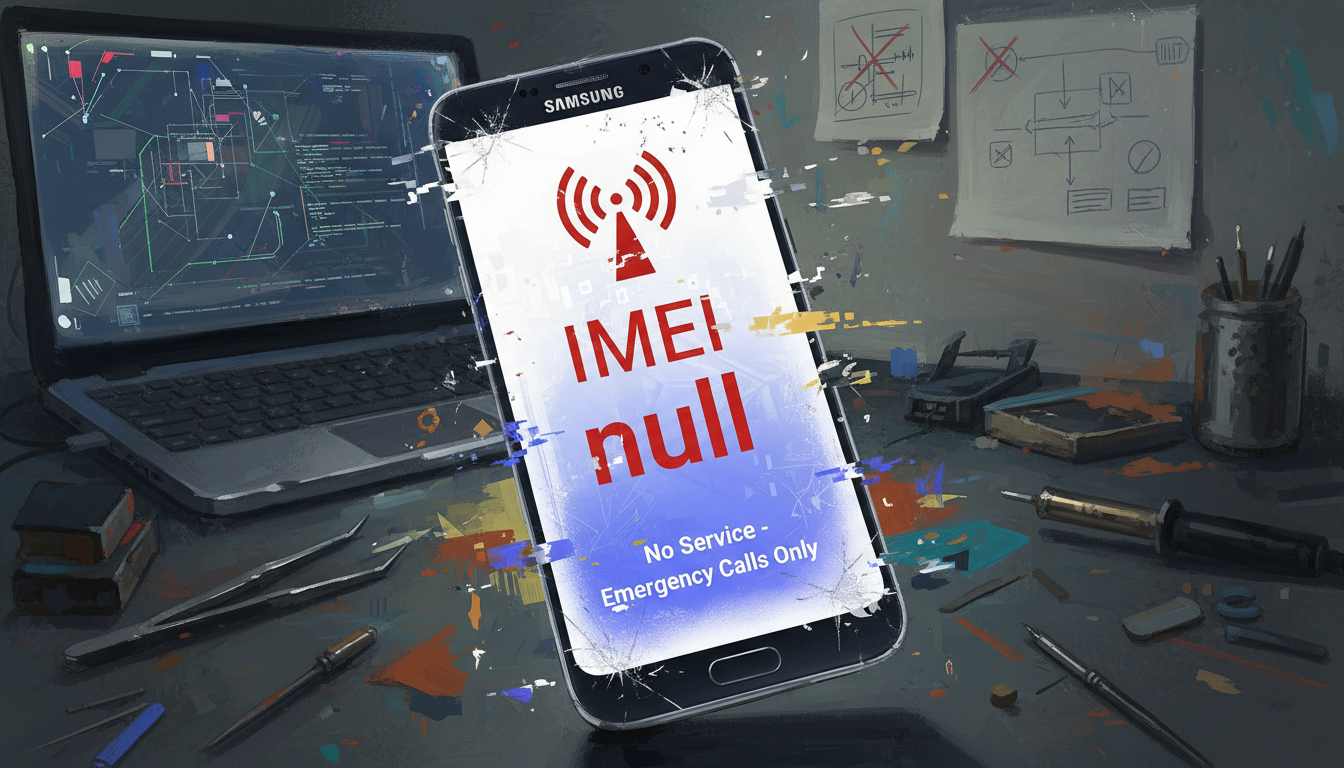
This guide is for U.S. users who lost mobile network after changing Samsung firmware. You might see “IMEI: null,” “unknown,” or “baseband unknown” messages. These issues often happen after unofficial ROM installs or region mismatches.
We’ll take a step-by-step approach to solve these problems. We’ll cover the causes, basic troubleshooting, and how to restore IMEI on Samsung devices. We’ll also talk about using official Samsung tools and when to get professional help.
This guide is for tech-savvy users who flashed firmware or want to fix their device. Before starting, make sure to back up your data. Remember, changing IMEI is illegal in many places. Our goal is to help you restore your device’s original settings legally.
Key Takeaways
- Samsung IMEI null often follows firmware flashes or CSC mismatches.
- Symptoms include “IMEI: null,” “baseband unknown,” and “network not registered.”
- We cover troubleshooting, re-registering IMEI, and official tools like Smart Switch and Odin.
- Always back up your data and follow legal restoration methods.
- Intended for users comfortable following technical instructions.
Understanding IMEI Null Issues and Their Causes
First, let’s define the problem. IMEI stands for International Mobile Equipment Identity. It’s a unique number used by carriers to verify a phone. If a phone shows IMEI null, IMEI: 0, or an unknown IMEI state, it means the device’s EFS partition or NVRAM is damaged. This area holds radio settings and identity data.
This is different from being blacklisted by a carrier. IMEI null is a local issue that stops the phone from showing a valid ID to the network.
Now, let’s look at common reasons for this problem after flashing. Flashing the wrong firmware can mess up EFS mappings. If the Odin flash is interrupted or the wrong PIT file is used, NVRAM might not be complete.
Also, if the EFS/NVRAM backup is corrupted or missing, IMEI records can be lost. Custom ROMs that don’t handle modem or EFS properly can also delete important data. Errors during flashing or hardware problems like failing storage can cause similar issues.
Let’s talk about how this affects daily use. A phone with IMEI null can’t connect to mobile networks. This means calls and mobile data won’t work. SMS might not send, and the phone might say “network not registered.”
The About phone screen might show “baseband unknown cause.” This means the radio firmware is not recognized or is not compatible. Services like Wi-Fi calling and VoLTE might stop working. But, the phone can still use Wi-Fi.
Carriers block service because the phone can’t show a valid IMEI.
We have a quick guide to help you figure out what’s wrong with your device.
| Issue | Typical Cause | Observable Symptom |
|---|---|---|
| Corrupt EFS/NVRAM | Failed or incomplete firmware flash; bad backup restore | IMEI null, IMEI: 0, inability to register to network |
| Incompatible firmware | Region-mismatched ROM or missing modem files | Baseband shows unknown, mobile data and calls fail |
| Interrupted flashing | Power loss or USB interruption during Odin/flash | Partial write, unstable radio, network not registered |
| Custom ROM without modem support | ROM excludes proper modem binaries or EFS handling | IMEI lost, VoLTE/Wi-Fi calling disabled |
| Hardware storage failure | Failing eMMC or UFS chip | Repeated corruption, persistent IMEI null across flashes |
Signs You Have an IMEI Null Error
After updating our Samsung device, we might notice signs of damage. This includes issues with the radio layer or EFS/NVRAM. Knowing these signs helps us act fast to fix IMEI problems.
No Signal or Poor Connectivity
After updating, we might see no bars or an “Emergency calls only” message. This could mean our phone’s radio or baseband firmware is damaged. It might also cause data, SMS, and calls to fail at random.
Seeing “network not registered” is another warning sign. It means our modem isn’t talking to the carrier. Even with a good SIM and coverage, a no signal issue could point to firmware damage.
Device Identification Problems
In Settings > About phone, we check the IMEI. If it’s null, unknown, or empty, it’s a big problem. Dialing *#06# should also show our IMEI. If it doesn’t, it’s a clear sign of trouble.
Looking at the Baseband version is also important. If it’s unknown or missing, it’s a sign of EFS/NVRAM corruption. These signs often mean we need to fix our Samsung IMEI.
Unexpected Restarts or Crashes
Corrupted radio firmware or a mismatched modem can cause problems. Our devices might restart often, freeze, or crash apps. This is because the system is unstable.
These issues don’t always mean an IMEI problem. But they often happen when trying to fix baseband issues. We treat these symptoms as part of a bigger troubleshooting plan.
| Symptom | What to Check | Likely Cause |
|---|---|---|
| No bars / Emergency calls only | SIM seating, carrier coverage, dialer status | Corrupted baseband firmware leading to network not registered |
| IMEI shows null or unknown | Settings > About phone, dial *#06# | EFS/NVRAM corruption causing Samsung IMEI null |
| Baseband listed as unknown | Check Baseband version in About phone | Missing or damaged modem firmware; need to fix baseband unknown |
| Frequent reboots or app crashes | Observe logs, safe mode, recent flashes | Mismatched modem or corrupted radio causing instability and no signal Samsung |
Basic Troubleshooting Steps to Start With
We start with simple checks to solve many connection issues. These steps help find and fix basic problems before trying more complex repairs. Make sure to test your phone after each step.
Restart Your Device
Try a full power-off restart instead of a soft reset. Press the power button, choose Power Off, wait 30 seconds, then turn it back on. This can reset the modem and sometimes fix the signal.
Boot into Safe Mode to see if apps are causing problems. Safe Mode turns off third-party apps. This helps find if an app is causing issues.
Check SIM Card Functionality
Take out and put back the SIM card to check for dirt or misalignment. This can cause “network not registered” errors.
Test the SIM in another phone to see if it works. Also, try a known-working SIM in your Samsung device. This helps figure out if the problem is the SIM or the phone.
Look at the SIM tray contacts and check eSIM settings in the Samsung settings app. These steps help before moving to software fixes.
Verify Network Settings
Make sure Airplane Mode is off and check the network type (LTE/3G/2G). The wrong setting can block carrier registration.
Review APN settings and carrier profile updates. Wrong APN or outdated carrier files can cause connection problems.
Try changing Network operators from automatic to manual and back to automatic. If you still see errors, the problem might be deeper. Then, follow steps to fix baseband unknown or seek expert help for IMEI repair.
How to Re-Register Your IMEI
When a Samsung device shows Samsung IMEI null after a firmware change, we need a clear, step-by-step approach. The process starts with basic checks, moves through what we can do with the phone dialer, and finishes with verification steps. These steps help confirm a successful restore IMEI Samsung attempt.

Accessing the Dialer
Some Samsung models let us open diagnostic and service menus from the phone app. Entering *#06# displays the current IMEI and helps confirm whether the device reports Samsung IMEI null. Service-mode dialer codes vary by model and region, so we should document visible values before making changes.
We should keep a copy of the original IMEI found on the retail box, under the battery, or in our carrier account. That copy serves as the reference if we need to restore IMEI Samsung from backup or confirm a repair.
Entering the Correct Codes
Standard consumer dialer codes rarely allow a full IMEI rewrite. In some cases, authorized service-level menus or Samsung service tools can rewrite IMEI from a valid EFS backup. We must respect legal limits: rewriting IMEI to conceal a device is illegal in many jurisdictions. We only discuss restoring a legitimate original IMEI lost to software corruption.
If we have an EFS backup, specialized restoration tools or service center software can re-register IMEI Samsung. Without that backup, re-registration typically requires professional tools and authenticated service access rather than basic dialer codes IMEI entries.
Verifying IMEI After Re-Registration
After any restore IMEI Samsung attempt, we should verify results in Settings > About phone and by dialing *#06# again. Confirming the IMEI and checking that the baseband version is populated helps ensure network functions return.
If IMEI still reads null, we recommend pursuing an EFS restore or contacting a Samsung authorized service center for professional repair. Keep a copy of the original IMEI handy to confirm that re-register IMEI Samsung efforts restored the correct value.
Using Samsung’s Official Tools for IMEI Restoration
We explain how to fix a lost IMEI after changing firmware. These tools solve software problems that might make your IMEI null or cause baseband errors. Make sure to follow each step carefully and use the right files for your model to avoid damage.
Samsung Smart Switch IMEI
Samsung Smart Switch is for backing up and fixing software issues on supported devices. It can reinstall official firmware or run recovery processes. These can fix system partitions and might bring back normal baseband behavior.
To use Smart Switch, you need a compatible PC, a USB cable, and the latest version. Connect your device, select emergency software recovery or reinstall, and follow the prompts. This method might fix your IMEI without needing advanced flashing.
Odin fix baseband unknown
Odin is Samsung’s tool for flashing official AP, BL, CP, and CSC files. It’s used by service centers and advanced users. Flashing the right CP (modem) and EFS-backed files can fix baseband unknown and IMEI null issues when software partitions are damaged.
- Get model-specific firmware from trusted sources like SamMobile or Samsung’s official servers.
- Back up EFS and user data if you can before starting.
- Enter Download Mode, load the right PIT/CP/AP files in Odin, then flash carefully.
- Check the baseband and IMEI after rebooting.
Be careful with Odin as it can brick your device. Only flash files that match your exact SM-XXXX model and region. If your bootloader is unlocked or the device was rooted, warranty and behavior may change.
Tips for Using Official Tools Safely
Always use official, model-specific firmware and check the device model and region. Back up everything with Smart Switch or ADB before flashing. Make sure the battery is over 50% and use the original USB cable for a stable connection.
Follow detailed guides from trusted repair communities or Samsung support. Keep your device’s serial and IMEI records handy. Flashing official firmware usually keeps your warranty, but unlocking or rooting before can affect it.
Seeking Professional Help for Complex Issues
When simple fixes don’t work, it’s time to call in the experts. Trained technicians can find and fix deep problems that home tools can’t handle. Issues like a Samsung IMEI null condition often require professional help.
Start by contacting Samsung support to check if your device is still under warranty. They can guide you on what to do next. If the problem is from an official update or a manufacturing defect, repairs might be free. But, if a third-party firmware caused the issue, you might have to pay for a diagnosis first.
When to Visit a Service Center
Take your device to a service center if simple fixes can’t fix the IMEI issue. This is also true if the modem or radio fails tests or if you need to verify serials and IMEI. Authorized technicians can safely fix these problems and work with carriers if needed.
What to Expect from Professional Repair
Service centers do detailed checks and may reflash official software. They can also restore the EFS partition from backups. Technicians test the radio and modem and might use special tools to fix the IMEI.
Cost Implications of Professional Services
If your device is still under warranty and Samsung accepts the fault, repairs are free. If it’s out of warranty, you might have to pay a diagnostic fee first. Simple fixes are usually cheap, but more serious repairs can cost a lot.
| Issue Type | Typical Service Action | Expected Cost Range |
|---|---|---|
| Software corruption (EFS/IMEI missing) | Official reflash, EFS restore from backup, carrier coordination | Free under warranty; $25–$150 out of warranty |
| Locked bootloader or warranty locks | Manufacturer-level unlocking, verification, official tools | Free if covered; $50–$200 otherwise |
| Hardware fault (UFS/eMMC or radio module) | Board-level repair or component replacement, radio testing | $150–$600 depending on parts and labor |
| Third-party firmware damage | Diagnostic, official reinstallation, possible hardware checks | $50–$300 based on complexity |
For urgent issues, like SIM and registration errors, professional help is often the fastest solution. If your device keeps showing no-network states after trying fixes, a service center visit can help. Visiting a Samsung service center is the safest way to get a permanent fix.
Preventative Measures to Avoid IMEI Null in Future
We aim to keep our Samsung devices safe from signal loss and data damage. Simple habits before and during updates can help prevent IMEI null. These steps focus on safe software, firmware, and backup practices.
Regular software updates
We update our Samsung devices with official OTA updates as soon as they’re available. We test updates for modem and system compatibility. This keeps our devices secure and reduces the risk of modem problems.
Proper firmware management
We avoid unofficial firmware and ROMs unless we’re experienced with flashing. When flashing, we ensure the firmware matches our device’s model and carrier. We also consider the bootloader state to avoid partition damage and baseband errors.
Backing up device information
We always backup EFS/NVRAM before firmware changes. Smart Switch safely backs up user data for most users. Advanced users use specialized tools for a root-level backup. We keep the original IMEI record safe to re-register if needed.
Here’s a quick guide for firmware changes.
| Action | Who Should Do It | Benefit |
|---|---|---|
| Install official OTA updates | All users | Keeps modem compatibility, reduces risk to baseband |
| Use manufacturer firmware matching model/CSC | Experienced users and technicians | Minimizes chance to prevent Samsung IMEI null and avoid baseband unknown |
| Backup EFS Samsung and NVRAM | All users before flashing | Allows restoration of IMEI and network data if partitions are damaged |
| Keep IMEI records off-device | All users | Makes re-registration with carrier straightforward if needed |
By following these steps, we lower the risk of IMEI loss. Cautious firmware handling and reliable backups help avoid baseband issues. This makes recovery faster if problems arise.
Additional Resources and Support Options
We’ve put together a list of places to get help when your Samsung device has IMEI errors or shows a network not registered status. These resources help us check our steps, compare firmware, and find fixes that work. We avoid services that can change your IMEI.

Online Forums and Community Support
We look to active communities for help with our Samsung devices. Sites like XDA Developers have detailed threads for many Samsung models. They offer logs and advice on flashing.
Reddit communities like r/GalaxyS and r/Samsung also have user reports and recovery tips. These can guide us to reliable fixes.
When using forums, we check the author’s reputation. We also make sure any steps we follow are safe and legal. This helps us avoid dangerous IMEI changes while we look for ways to fix our Samsung devices.
Manufacturer Customer Service
We suggest contacting Samsung US support for help. You can call, chat, or visit an authorized service center. They have the tools to diagnose and fix hardware and software problems that cause IMEI loss.
Before reaching out, gather your device model, any visible IMEI, proof of purchase, and warranty details. This information helps the technicians decide if a repair or official restore is needed. They can also tell you if you need to reactivate your device with the carrier.
Useful Links for Further Assistance
We use trusted firmware archives and carrier pages for official files and activation help. Sites like SamMobile and Firmware.mobi list stock firmware and model-specific builds for clean restores. Carrier support pages have policies and checks for devices with network not registered issues.
If a carrier flags your device after an IMEI restore, contact them. They can guide you through the registration steps and any account requirements. Working with both manufacturer resources and carrier support helps speed up the recovery process and reduces downtime.
| Resource | What We Get | When to Use |
|---|---|---|
| XDA Developers | Model-specific guides, logs, firmware links | When looking for community-tested recovery steps |
| Reddit (r/GalaxyS, r/Samsung) | User reports, step-by-step experiences | To validate real-world outcomes before trying a fix |
| Samsung US Support | Official diagnostics, authorized repairs, warranty service | For secure repairs and when hardware faults are suspected |
| SamMobile / Firmware.mobi | Stock firmware downloads and version histories | When performing an official firmware restore to avoid IMEI issues |
| Carrier Support Pages | Activation procedures and IMEI registration policies | If device shows network not registered support after restoration |
Conclusion: Regaining Mobile Functionality
We’ve shown you how to fix IMEI problems so you can use your phone again. First, check if your IMEI is null or baseband unknown. Then, try simple fixes like restarting your phone, checking the SIM, and looking at network settings.
If these steps don’t work, try re-registering your device and checking the IMEI. For Samsung phones, use Samsung Smart Switch or Odin to fix the modem and system images. If all else fails, get help from an authorized service to avoid legal issues and keep your warranty.
Our first steps to fix Samsung IMEI issues are safe and easy to reverse. We advise against changing your device’s identifiers. Instead, follow steps to reinstall official firmware and keep EFS/NVRAM data safe. This keeps your device working right and follows carrier rules.
To avoid problems in the future, back up your device’s data and write down the original IMEI before making any changes. Always use official firmware and keep your software up to date. These steps help prevent problems, reduce the risk of network errors, and make fixing issues easier and more reliable.
FAQ
What does “IMEI null” or “IMEI: unknown” mean after changing Samsung firmware?
IMEI null means your phone’s International Mobile Equipment Identity is gone. This happens when firmware changes mess up the modem or EFS data. Your device might show “baseband: unknown” and can’t connect to networks.
What common actions during flashing cause IMEI to disappear?
Flashing the wrong firmware or interrupting the process can cause IMEI loss. Using bad EFS backups or wrong PIT files also leads to problems. Faulty tools or incorrect modem packages can corrupt the EFS/NVRAM.
What immediate signs tell us the phone has an IMEI null problem?
Look for no mobile signal, “No service,” or “IMEI: null” in Settings. *#06# should show your IMEI, but it might be blank. You might see “network not registered” errors and can’t send SMS or use data.
What basic troubleshooting steps should we try first?
First, try a full power off and restart. Check SIM and network settings. If these steps don’t work, you might need more advanced fixes.
Can we re-register the IMEI ourselves using dialer codes?
Dialer codes can show your IMEI, but they can’t rewrite it. To fix IMEI, you need an EFS backup or special tools. Always follow the law and only restore the original IMEI.
How can Samsung Smart Switch help restore IMEI or baseband?
Smart Switch can install official firmware and fix software issues. It’s good for those who don’t want to use manual tools. Make sure your device is recognized by the PC and supported by the software.
When should we use Odin, and what parts are critical to fix baseband unknown?
Use Odin to install Samsung firmware. Flashing the right CP (modem) and fixing the EFS partition are key. Use model- and region-specific firmware and follow tested procedures carefully.
If Odin or Smart Switch doesn’t work, when should we seek professional help?
Go to a Samsung service center if DIY tools fail. They can handle hardware issues and warranty checks. Authorized technicians have the tools to safely fix your device.
How can we verify IMEI restoration after repair attempts?
Check Settings > About phone and dial *#06#. Make sure the IMEI matches the original. Also, verify the Baseband version and network registration.
What documentation should we keep to help restore IMEI if it’s lost?
Keep the original IMEI from the box or carrier account. Back up your data and EFS/NVRAM before firmware changes. These backups help with legitimate restoration.
Are there legal or warranty risks when attempting to restore IMEI?
Yes. Changing IMEI to hide identity is illegal. Restoring a lost IMEI is okay, but be careful with unofficial tools. Always contact Samsung support before risky actions.
How can we avoid IMEI null problems in the future?
Use official OTAs and avoid unofficial ROMs. Verify firmware matches your device before flashing. Back up EFS/NVRAM and data before changes. Be aware of warranty implications when unlocking or rooting.
Where can we find reliable firmware and community guidance for Samsung devices?
Check Samsung’s support pages, SamMobile, and Firmware.mobi for firmware. XDA Developers and Reddit communities offer community help. Always verify the reputation of guides and avoid illegal services.
What costs should we expect if we take the phone to a service center?
Costs vary. Warranty repairs might be free for official update issues. Out-of-warranty repairs can cost more. Contact the service center for estimates.
