Tag: Samsung firmware

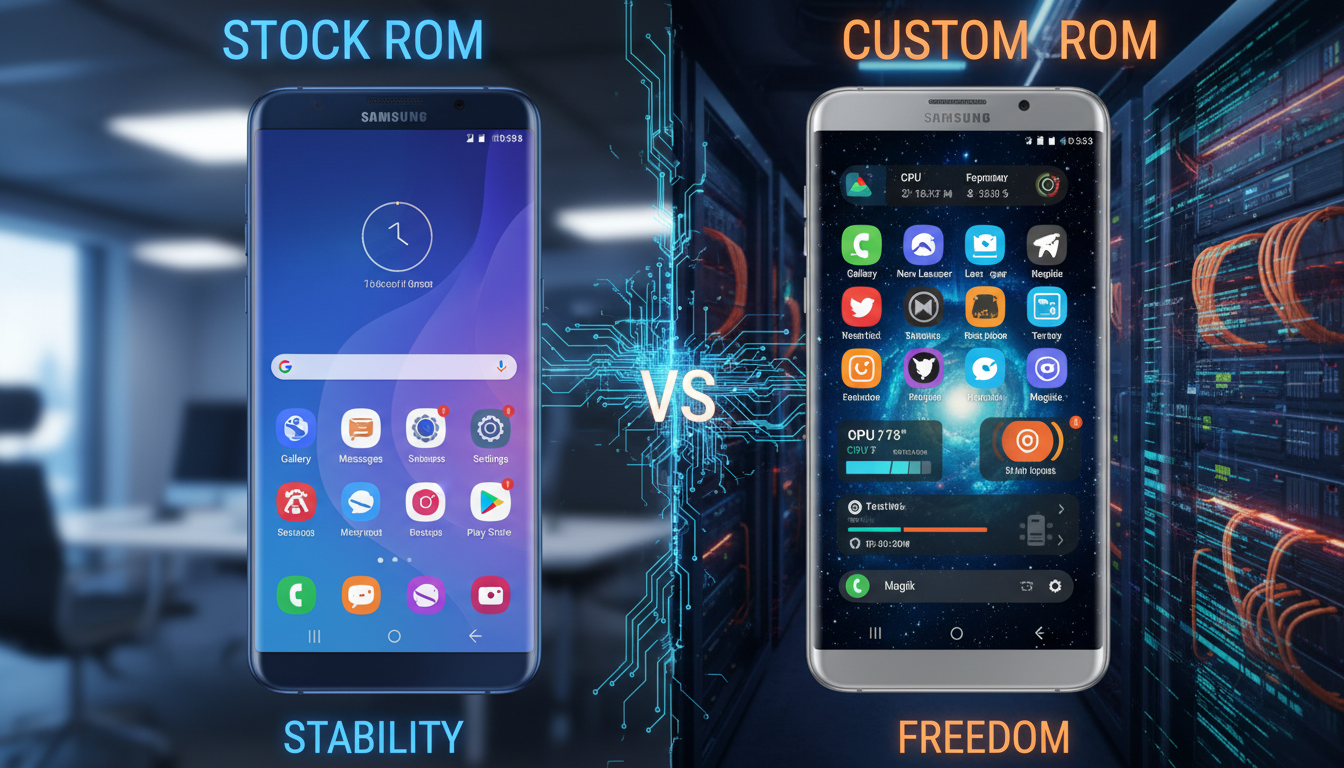
  • Stock ROM vs. Custom ROM: Which is Better for Your Samsung Device?

    Stock ROM vs. Custom ROM: Which is Better for Your Samsung Device?

    Many people wonder if they should choose a Stock ROM or a Custom ROM for their Galaxy device. We’ll look at official Samsung ROMs and custom firmware from third parties. This will help U.S. buyers make a decision. Devices like the Galaxy S, Note, A, and Z series are available on carriers like Verizon, AT&T, and T-Mobile.

    Our guide is a quick list that covers the basics, pros and cons, and how each affects your device. We’ll talk about performance, customization, and security. We’ll also discuss popular custom ROMs like LineageOS, Paranoid Android, and Resurrection Remix. Plus, we’ll explore the benefits of rooting your Samsung device.

    But remember, custom firmware can void your warranty and may break carrier rules. Rooting can also disable Samsung Knox and Secure Folder. We’ll explain these risks so you can make a smart choice.

    Key Takeaways

    • Stock ROM (official Samsung ROM) prioritizes stability and carrier support.
    • Custom ROMs offer customization and potential performance gains but carry warranty and security risks.
    • Carrier-locked Galaxy models may limit Samsung custom firmware options and updates.
    • Root Samsung benefits include deeper control but can disable Knox and affect banking or secure apps.
    • We’ll compare installation steps, compatibility, and leading custom ROMs to help you choose.

    Understanding the Basics of Stock ROM and Custom ROM

    Let’s start with what firmware does for Samsung phones and tablets. Knowing what Stock ROM is helps us see why manufacturers add certain features. This introduction prepares us for the next sections.

    Defining Stock ROM

    Stock ROM is the official Samsung ROM found on Galaxy devices. It includes One UI, carrier apps, drivers, and signed binaries for secure boot and Knox. Manufacturers and carriers update it regularly with security patches and OTA updates for certain models.

    Stock firmware ensures hardware works right. It’s key for services like Samsung Pay, biometric authentication, and carrier features. These need the official Samsung ROM to work smoothly.

    Defining Custom ROM

    Custom ROMs are Android builds made by independent developers and communities. Projects like LineageOS show how they can remove bloatware, offer different interfaces, and extend update lifecycles beyond official support.

    Installing a custom ROM means unlocking the bootloader and using a custom recovery. Root access is optional but common for advanced tweaks. We get more flexibility but lose some integrated features and vendor support.

    Key Differences Between Stock and Custom ROM

    Updates are a big difference. Stock ROMs get OTA packages signed by Samsung. Custom ROMs rely on maintainers and manual flashes or recovery-based installers.

    Security and signing also vary. Stock images include Knox and other protections. Custom ROMs can disable or trigger Knox, changing warranty and security.

    Customization and performance tradeoffs are important for users. Custom ROMs let us tweak UI and system performance. Stock ROMs focus on stability, carrier compatibility, and manufacturer support.

    Warranty and support also differ. Staying on official Samsung ROM keeps warranty and carrier troubleshooting paths open. Choosing custom firmware or third-party builds may void warranty and make service visits harder.

    Pros and Cons of Stock ROM

    We explore the good and bad of Samsung’s stock firmware. Knowing the perks of official Samsung ROM helps users choose. A comparison with custom firmware shows the trade-offs.

    Benefits of Stock ROM

    Official Samsung firmware ensures stability and hardware support. Samsung tests ROMs for camera, sensor, and radio module performance.

    Many models get seamless OTA updates. This keeps security patches and Android upgrades current without manual effort. It also keeps warranty valid and makes repairs easier.

    Stock ROM supports Samsung services like Samsung Pay, Secure Folder, and Knox. These features rely on official, signed code for security and device integrity.

    Drawbacks of Stock ROM

    Carrier and manufacturer apps can add bloatware. These apps use storage and run tasks that may harm battery life or performance.

    Carrier-branded units get updates slower because of testing and certification. This delay is a key point in debates about Stock ROM vs Custom ROM.

    One UI offers limited customization without rooting. Custom ROMs provide kernel tweaks and advanced privacy controls. This is important in any Samsung custom firmware comparison.

    End-of-life support is another consideration. Samsung stops updates for older models, leading users to custom firmware despite its drawbacks.

    Pros and Cons of Custom ROM

    We look into what custom firmware offers for Samsung phones and the trade-offs. Users who consider the benefits and drawbacks make informed choices for daily use and long-term ownership.

    Custom ROMs attract power users and those seeking more control. They can extend a device’s life. Many community builds offer newer Android versions and security patches for unsupported models.

    Custom ROMs can be lightweight and free from unnecessary apps. Removing carrier bloatware and Samsung apps can improve performance. This is especially true for older phones.

    Custom ROMs offer deep customization. Users can change themes, adjust performance, and more. Rooting is often possible, giving access to advanced system settings.

    Privacy and control are improved with custom ROMs. Some ROMs have stricter permission controls and optional microG support. Community support means new features are tested quickly.

    However, there are drawbacks and risks. Custom ROMs can be unstable. Bugs can affect camera, modem, or biometric functions.

    Security and update concerns exist. Updates depend on maintainers. Without official signing and testing, vulnerabilities may not be fixed as quickly as on stock ROMs.

    Vendor service loss is a risk. Installing a custom ROM can disable Samsung Knox and other services. This affects warranty and service eligibility.

    Warranty and complexity are also issues. Flashing a custom ROM can void the warranty. It may also affect trade-in eligibility. Always back up your data and follow guides to avoid risks.

    User Experience: Stock ROM vs. Custom ROM

    We look at how daily life changes with factory software versus community builds. We focus on speed, looks, and reliability. This helps users choose the right software for them.

    Performance and Speed

    Stock ROM vs Custom ROM performance changes with each device and build. Samsung’s stock firmware balances kernel, modem, and camera ISP for good results. It might win in camera tasks or network stability.

    Custom ROMs can cut down on unnecessary apps and tweak the kernel for faster performance. Rooting Samsung can unlock more speed by adjusting governors or removing resource-draining services.

    Interface Customization

    Custom ROMs are better for those who love deep theming or modular features. They offer system-level theme engines, status bar tweaks, and alternative navigation options not found in One UI.

    One UI, however, keeps a polished look across Samsung phones. Samsung’s custom firmware UX supports Good Lock modules and Bixby routines on certain models. This is great for users who want a refined, integrated system without big changes.

    Stability and Reliability

    Official Samsung ROMs are usually the safest choice for important tasks. Samsung’s QA and certified drivers lower the chance of random reboots, sensor failures, or modem issues.

    Custom ROMs can be stable on well-supported devices, but it depends on the maintainer and driver support. We suggest testing custom builds on a secondary device for daily use.

    Compatibility Issues with Custom ROM

    We explore how hardware and update paths affect Samsung custom firmware. Not all Galaxy models get the same developer attention. The Galaxy S and Note series usually get updates quickly.

    But, lower-end Galaxy A models and carrier-locked phones might not get updates or support.

    Device Compatibility

    When testing custom ROMs, we check hardware drivers. Camera ISP, modem firmware, and fingerprint sensors often need closed-source blobs. These blobs come from Samsung or Qualcomm, leading to imperfect features on custom builds.

    Before flashing, we check the bootloader status. Carrier-locked models can block custom images. This can cause bricked devices or missing radios if we ignore carrier firmware differences.

    Software Updates

    We compare Stock ROM vs Custom ROM updates. Samsung and carriers push verified OTA updates for security. Custom ROMs rely on maintainers and community for updates.

    Projects like LineageOS publish monthly security builds and migration notes. Other projects update sporadically. This can lead to delayed fixes and root Samsung update issues if a device stays on an outdated custom build.

    We suggest checking XDA Developers threads and GitHub repositories for build status and updates. Backing up firmware and knowing how to downgrade is crucial. Restoring stock often requires full re-flashing and modem/baseband changes.

    The Installation Process: Stock vs. Custom ROM

    We explain how to install firmware on Samsung devices. Installing official Samsung ROM is different from installing custom firmware. Each method has its own steps and risks.

    Installing official Samsung ROM

    Installing Stock ROM

    It’s best to use Samsung Smart Switch or the device’s updater. These methods are safe and avoid many problems of manual flashing.

    For manual installs, we use Odin on Windows. We need USB drivers, Odin, and a PC. Wrong firmware or drivers can brick the phone, so we follow Samsung’s instructions.

    We reinstall stock to fix issues or prepare for resale. It can also re-enable Knox protections. Make sure to get the right PIT and firmware files.

    Installing Custom ROM

    We start by unlocking the bootloader if allowed. Unlocking may wipe data and trip Knox. Then, we install TWRP and make a full Nandroid backup.

    The flash sequence is: unlock bootloader → install custom recovery → flash ROM ZIP and GApps or microG → flash kernel or Magisk → wipe caches and reboot. We follow the ROM maintainer’s instructions closely.

    We use XDA Developers and GitHub for device-specific help. Flashing the wrong ROM can brick a phone, so we check device codes and vendor images before flashing.

    Post‑installation Checks and Troubleshooting

    We test key functions after flashing: camera, Wi-Fi, LTE/5G, Bluetooth, NFC, biometrics, and mobile payments. If problems arise, we check firmware, recovery, and kernel versions against the ROM thread or wiki.

    Task Stock ROM Custom ROM
    Primary Tool Samsung Smart Switch or Odin Custom recovery (TWRP) and fastboot/OEM tools
    Prerequisites Model‑matched firmware, USB drivers, PC Unlocked bootloader, custom recovery, Nandroid backup
    Data Wipe Risk Low when using OTA; none if update applies cleanly High; unlocking bootloader typically erases data
    Warranty & Knox May restore warranty state and Knox if not tripped May trip Knox and void warranty
    Complexity Low to moderate Moderate to high
    Recovery Options Official service or Odin restore Return to stock requires correct PIT and firmware
    When to Use Fix system faults, restore original state Customize UI, remove bloat, or gain advanced features
    Keywords Covered Installing official Samsung ROM; Stock ROM vs Custom ROM flashing Samsung custom firmware installation; root Samsung installation steps

    Security Considerations for Stock and Custom ROM

    We look at how security changes with official firmware versus custom builds. This is important for both everyday users and businesses that need secure Samsung devices. We’ll talk about the security in stock releases and the risks of third-party firmware and rooting.

    Security Features of Stock ROM

    Official Samsung ROMs are secure because they include Knox, secure boot, and verified boot. Knox provides hardware isolation for businesses and Secure Folder for personal data. Updates and kernels are signed, stopping unauthorized firmware.

    Working with carriers and Google’s Android team, Samsung ensures updates work across many devices. This means timely security patches for supported models.

    Security Risks of Custom ROM

    Before unlocking a bootloader, we must consider Samsung custom firmware risks. Unlocking can disable Knox, affecting enterprise trust and some apps. Third-party builds lack Samsung’s signature, introducing vulnerabilities.

    Update frequency is another concern. Small ROM projects might not get security patches quickly. Rooting adds complexity, increasing the attack surface if not managed well. Tools like Magisk can help but need careful setup.

    To reduce risks, choose reputable ROMs and verify their integrity. Limit root apps and use safe modules. For businesses or heavy banking users, sticking to stock ROMs is safer for compliance and protection.

    Aspect Stock ROM Custom ROM
    Integrity checks Signed OTA and vendor kernels Often unsigned or signed by third parties
    Hardware security Knox, secure boot, hardware-backed keys Unlocking can disable Knox protections
    Update frequency Regular security patches from Samsung and partners Varies by project; some delays common
    Root risk Limited without rooting; lower attack surface Root access can elevate threats if mismanaged
    Trust model Vendor trust and enterprise compliance Community trust required; verify sources

    Popular Custom ROMs for Samsung Devices

    We look at the top custom ROMs for Samsung phones. This helps readers choose the best firmware for their needs. Each ROM has its strengths, trade-offs, and supported devices.

    LineageOS Samsung

    LineageOS

    LineageOS is great for a stock Android feel with some privacy tweaks. It supports many Samsung devices, offers regular security updates, and has clear instructions. These builds are stable, perfect for daily use.

    Not all Galaxy phones have official LineageOS builds. Some need community ports, which might not fully support cameras or modems. Always check GApps and proprietary blobs before flashing.

    Paranoid Android

    Choose Paranoid Android for a polished interface. Its Samsung ports focus on a refined user experience, adaptive mode, and privacy. They keep features simple to ensure reliability.

    Paranoid Android is smaller than LineageOS, so it supports fewer devices. Check XDA and GitHub for updates on Samsung support.

    Resurrection Remix

    Resurrection Remix is for those who love customization. It combines features from LineageOS, OmniROM, and more. This ROM offers many UI and performance tweaks for power users.

    This ROM has a lot of features, which can lead to maintenance issues and occasional bugs. It might be too much for those who prefer minimal changes. Make sure your model has camera blobs and modem firmware before installing.

    For specific features or looks, consider crDroid and Pixel Experience ports. Always check community pages and official GitHub repositories for device-specific tips and updates.

    Choosing between stock ROMs and custom ROMs depends on what you value most: stability, features, or hardware support. Always do your research, back up your data, and check GApps and proprietary blobs to avoid losing functionality on Samsung devices.

    Tips for Choosing Between Stock ROM and Custom ROM

    First, let’s figure out what’s most important to us. If you need banking apps or Samsung Pay, sticking with the official Samsung ROM might be best. On the other hand, if you want to tweak your phone’s performance or get updates for older phones, a custom ROM could be the way to go.

    It’s a good idea to make a checklist to see if you’re ready for a custom ROM. You’ll need patience, basic command-line skills, and the ability to troubleshoot. If you’re short on time or not sure, sticking with stock ROM is safer. For older Samsung phones, custom ROMs might be the only way to get the latest Android.

    Assessing Your Needs

    Let’s match our needs with the features of each ROM type. If security and warranty are key, go with stock ROM. But if you want more control and updates, custom ROMs might be better. Think about how you use your phone: gaming or business. Each use case has its own best ROM.

    Also, consider your phone’s age and how long it will be supported. Newer Samsung phones get regular updates. Older models might get a second life with custom ROMs. Always test the ROM’s camera, modem, and biometrics before you decide.

    Researching Available Options

    When choosing a ROM, check out trusted communities. Look at XDA Developers, official GitHub repositories, and Reddit for build reports and bug lists. Find out who maintains the ROM and how often they update it.

    Make sure the ROM supports your phone’s hardware, like the camera and fingerprint scanner. A ROM without Samsung Pay or broken biometrics can be a hassle. Always make a full backup and test on a spare device if you can.

    Consider using tools like Magisk for a mix of custom and stock features. Magisk can add modules and root access without losing official services. But be careful, as unlocking your bootloader or rooting can affect your warranty.

    Sum up your findings in a table to see the differences clearly. Look for active maintainers, regular updates, and clear hardware support notes. Read user reports about bugs and fixes before making your choice.

    Conclusion: Which Should You Choose?

    When deciding between Stock ROM and Custom ROM, it’s all about what matters most to you. Stock firmware from Samsung is reliable, keeps your device secure, and gets updates regularly. It also has support from the vendor.

    On the other hand, custom firmware lets you customize your device deeply. It’s great for extending your device’s life and removing unwanted apps. But, it might void your warranty and could break some features.

    Final Thoughts on Stock vs. Custom ROM

    If you use banking apps, Samsung Pay, or need enterprise features, go with the official Samsung ROM. It’s safer and keeps your security intact. Rooting or installing custom firmware means you might face instability and lose some features.

    Your Decision Based on Usage Preferences

    For those who want safety and easy updates, stick with stock ROM. If you enjoy tweaking and want the latest Android on older devices, custom ROMs are for you. It’s wise to research, back up, and test custom ROMs on a secondary device first.

    Also, in the U.S., check your carrier’s bootloader policies and Samsung’s support resources. This way, you avoid any unexpected issues.

    FAQ

    What is the difference between a stock ROM (official Samsung ROM) and a custom ROM (Samsung custom firmware)?

    A stock ROM is the official firmware from Samsung or the carrier. It includes One UI and Samsung apps. It also has signed kernels and OTA updates that keep Knox and vendor services working.

    Custom ROMs are third-party Android builds. They offer different interfaces and extended Android updates. They require unlocking the bootloader and may disable Knox and other vendor features.

    Which Samsung models in the United States get the most custom ROM support?

    Flagship Galaxy S and Note series get the most attention. This is because of developer interest and available vendor blobs. Foldable Z series and unlocked models also attract developers.

    Lower-end A series and carrier-branded variants often lack full custom ROM support. This is due to locked bootloaders and fewer drivers.

    Will installing a custom ROM void my warranty or affect Samsung Knox and Secure Folder?

    Unlocking the bootloader and flashing a custom ROM can trip Knox. This may void warranty coverage or limit service options. Knox hardware flags are often irreversible, disabling enterprise features and Secure Folder.

    We recommend checking your carrier and Samsung warranty terms before proceeding.

    What are the main benefits of staying on stock ROM (official Samsung ROM)?

    Stock ROM offers tested hardware compatibility and regular OTA security updates. It also supports seamless carrier services and full support for Samsung Pay, Secure Folder, and biometric authentication.

    It preserves warranty and minimizes the risk of bricking or breaking features tied to signed firmware.

    What advantages do custom ROMs provide for Samsung devices?

    Custom ROMs can extend a device’s useful life by delivering newer Android versions and security patches. They remove bloatware and enable deep UI customization.

    They also allow performance or battery optimizations through custom kernels and governors. Some ROMs prioritize privacy and give users granular control over permissions and services.

    Are there significant security risks with custom ROMs compared to stock firmware?

    Yes. Custom ROMs are not Samsung-signed and may lack verified boot protections. Unlocking the bootloader and rooting can increase attack surface.

    Security updates depend on maintainer activity, so patches may be delayed. We advise using reputable projects, verifying builds (checksums, GitHub sources), and limiting root privileges to trusted apps.

    How difficult is it to install a custom ROM on a Samsung phone? What tools are needed?

    Installing a custom ROM requires technical steps. You need to unlock the bootloader (if permitted), install a custom recovery like TWRP, and make a full backup (Nandroid).

    You also need to flash the ROM and optional GApps or microG packages. Tools include Odin for Samsung firmware restores, ADB/fastboot, device-specific USB drivers, and ROM ZIPs from trusted sources. The process can wipe data and carries risk of bricking if instructions aren’t followed precisely.

    Can custom ROMs break critical features like the camera, modem, or biometrics?

    Yes, they can. Many Samsung hardware components use closed-source drivers (vendor blobs). If a custom ROM lacks proper vendor support or compatible blobs, camera quality, modem connectivity (LTE/5G), fingerprint sensors, NFC, and other features may be impaired or nonfunctional.

    Always check device threads on XDA, GitHub, and ROM release notes for known issues before flashing.

    Which custom ROMs are most recommended for Samsung devices?

    LineageOS is a widely trusted, near-stock option with active community support. Paranoid Android focuses on polished UX and selective features. Resurrection Remix offers an extensive feature set for power users.

    Other alternatives include crDroid and Pixel Experience ports. Our recommendation is to choose ROMs with active maintainers and documented device support.

    How do updates differ between stock ROM and custom ROMs?

    Stock ROMs receive signed OTAs from Samsung and carriers. They have a predictable update cadence for supported models. Custom ROM updates rely on community maintainers and must often be flashed manually or via custom recovery.

    Some projects provide regular nightly or monthly builds, while others are sporadic. Timeliness and security patch frequency vary by project.

    Is it possible to return a Samsung device to stock ROM after installing a custom ROM? What should we expect?

    Returning to stock is usually possible but may be complex. Reinstalling official firmware often requires the correct model- and carrier-specific firmware, Odin (on Windows), and possibly PIT partition files.

    Some state changes, like a tripped Knox flag, may be irreversible. Always back up data and document your steps so you can restore stock if needed.

    Can we root a Samsung phone and still keep some stock features? What are the root Samsung benefits?

    Rooting with tools like Magisk can grant system-level control while preserving some functionality. It allows modules for customization. Benefits include ad blocking, granular app permissions, advanced backups, and performance tweaks.

    However, root access frequently trips Knox and can disable banking apps and Samsung Pay. Weigh the benefits against potential loss of vendor services and warranty implications.

    For a user focused on banking, enterprise, or Samsung ecosystem services, which should we choose?

    For enterprise or banking needs, we recommend staying on the official Samsung ROM. Stock firmware preserves Knox, Secure Folder, Samsung Pay, and provides the predictable security posture organizations and financial apps require.

    Custom ROMs carry risks that often conflict with compliance and secure app requirements.

    For an older Samsung device no longer receiving official updates, is a custom ROM a good option?

    Yes, custom ROMs are a compelling option to revive older devices. They provide modern Android versions and security fixes. They also de-bloat and can improve performance.

    Verify that the ROM has reliable camera and modem support for your model, and accept that some vendor features may be lost.

    Where should we look for reliable device-specific information and installation guides?

    Trusted sources include XDA Developers device forums, official ROM GitHub repositories, and active Reddit communities (for example, r/LineageOS or device-specific subreddits). Official maintainers typically publish installation instructions and changelogs.

    Verify checksums for downloads and read user reports for known regressions before proceeding.