Tag: Device Security

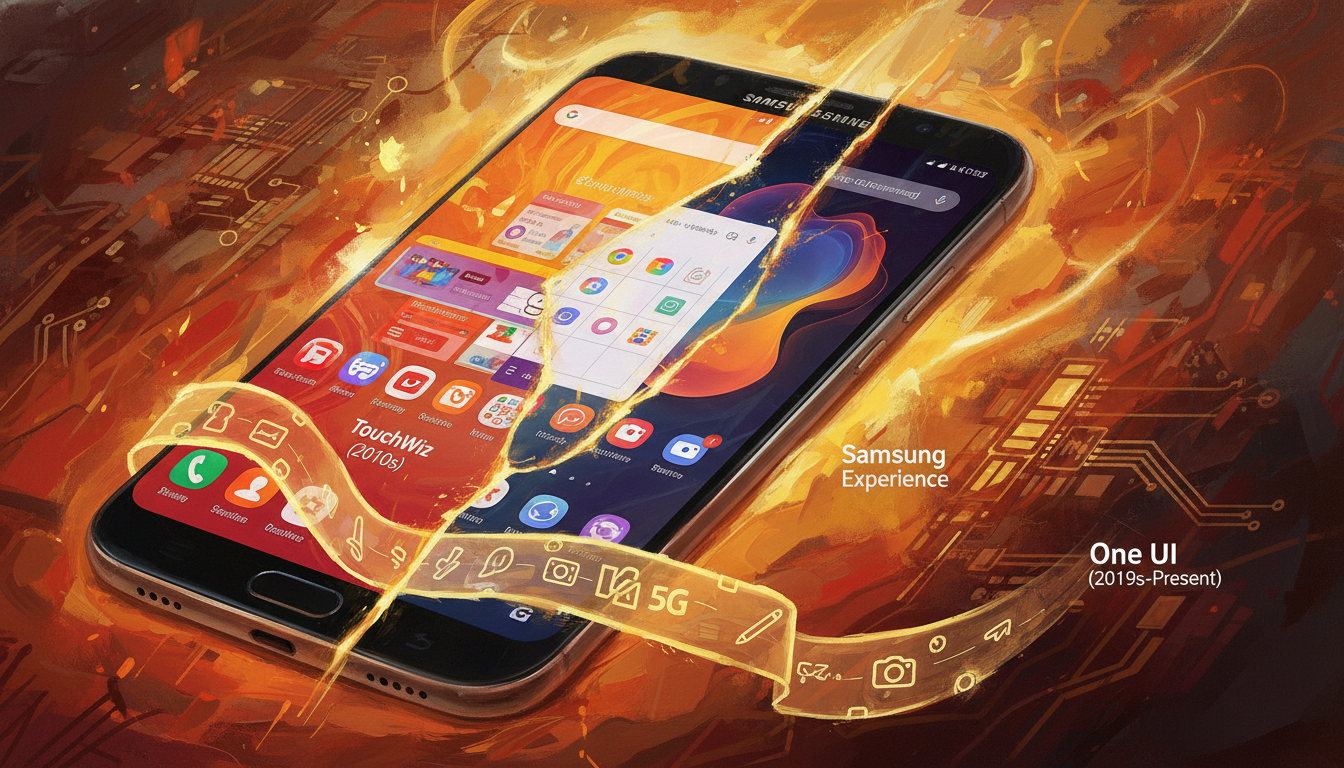
  • The Evolution of Samsung’s Interface: From TouchWiz to One UI

    The Evolution of Samsung’s Interface: From TouchWiz to One UI

    We explore Samsung’s journey from TouchWiz to One UI. We focus on how these changes affect updates and software longevity. Our aim is to highlight how interface choices and architectural shifts impact Samsung’s update policy and schedule.

    Samsung has made big promises about updates. They now guarantee up to 4 years of Android updates and up to five years of security updates for many Galaxy models. This is especially true for the Galaxy S and Note lines, which often get updates quickly.

    These promises are crucial for device security and planning the end of life for devices. They also affect the support businesses expect when buying devices for their employees.

    Historically, Samsung used many proprietary UI layers, making updates challenging. With the shift to One UI, Samsung could better match updates with Android releases. This change has improved the update schedule and made it clearer when devices will no longer receive updates.

    In this article, we’ll list phones that get the longest security updates under Samsung’s policy. We’ll use the UI evolution to explain why updates have gotten better. This will show what Android update support means for device security and longevity in the U.S.

    Key Takeaways

    • Samsung has moved from TouchWiz to One UI while improving update commitments.
    • Samsung update policy now includes clearer promises, such as 4 years Android updates on many models.
    • Interface simplification helped Samsung deliver more consistent Android update support.
    • Galaxy S and Note series typically receive prioritized updates under the Samsung update schedule.
    • Understanding Samsung end of life timelines is vital for consumers and IT managers planning device lifecycles.

    The Birth of TouchWiz: A Flashy Start

    When Samsung introduced TouchWiz in 2008–2010, it aimed to make its phones unique. The interface featured custom widgets, bold icons, and deep OEM features. These elements tied the hardware to a distinct brand identity.

    Let’s dive into the key points that made TouchWiz memorable and sometimes challenging for users and carriers.

    Introduction to TouchWiz

    TouchWiz was a full-skin approach, not just a theme. Samsung wanted to add value with proprietary apps and visual flair. Carriers could customize it, making it rich in exclusive features but tightly tied to the phone’s system.

    Key Features of TouchWiz

    • Custom home screens and a wide range of widgets for quick access to information.
    • Heavy theming and exaggerated visual effects that emphasized Samsung’s brand style.
    • Proprietary apps like S Memo and S Planner that extended functionality beyond Google apps.
    • Carrier-specific additions that often required extra integration and testing.
    • Deep system hooks, which made some features feel native but complicated updates.

    User Reception

    Users had mixed feelings. Some loved the added features and widgets for productivity and personalization. Others criticized bloat, inconsistent design, and performance issues on lower-end hardware.

    The heavy customization affected software maintenance. OEM modifications led to longer testing cycles. This delayed security and Android upgrades, impacting Samsung’s update policy and device longevity.

    Aspect Impact Relevance to Updates
    Deep system integration Rich features, higher complexity Increased testing time for patches
    Proprietary apps Added value, duplicated functions Compatibility checks with new Android versions
    Carrier customizations Fragmented user experience Staggered rollouts across networks
    Visual effects and theming Distinct look, potential sluggishness Performance tuning extended the Samsung update schedule
    User perception Mixed satisfaction Increased scrutiny of Samsung update policy and Samsung end of life planning

    TouchWiz: The Early Years

    The Galaxy S line launched in 2010 marked the start of Samsung’s interface journey. TouchWiz was a key part of these devices, influencing how Android looked and worked on Samsung phones. The Galaxy S and S II got new features first, while midrange phones followed later.

    Features were introduced in a model-specific way. This led to carrier and region variants with different release times and content. The unpredictable Samsung update schedule frustrated many buyers.

    The early TouchWiz skin caused performance and consistency issues. Its heavy visuals and background services slowed some devices. Users and critics noted that the experience varied greatly across models.

    Fragmentation became a major problem. Different firmware from carriers or regions delayed major OS upgrades and security patches. These delays made users worry about Samsung’s support for older devices.

    These challenges led to policy changes. Feedback on slow updates and maintenance pushed Samsung to change. They now focus on lighter, cleaner skins to speed up updates and improve security.

    Aspect Early TouchWiz Reality Impact on Users
    Rollout Pattern Flagships first; midrange later; carrier/region variants common Uneven access to new features; confusing timelines
    Performance Heavy UI elements increased system load Slower phones; battery and responsiveness concerns
    Update Cadence Longer intervals for OS upgrades and patches Uncertainty about 4 years Android updates and timely fixes
    Device Lifespan Perception Fragmented support and delayed fixes Early worries about Samsung end of life and resale value
    Company Response Move toward lighter skins and streamlined firmware Improved Samsung update schedule planning and faster patches

    TouchWiz 2.0: Refinements and Updates

    We look back at TouchWiz 2.0 as the moment Samsung began cleaning up its interface. The release aimed to modernize visuals, tighten performance, and make the software feel closer to the hardware it ran on.

    New features focused on polished icons and smarter widgets. We saw a simplified icon set that read better on AMOLED screens and refreshed widgets for weather, calendar, and music. Camera and media apps gained faster access and clearer controls. Tighter integration with Samsung hardware improved color tuning and battery handling on AMOLED panels, which made everyday use feel more refined.

    We organized the changes into practical gains for users:

    • Simpler visuals for cleaner navigation
    • Enhanced widgets for at-a-glance info
    • Camera and media tweaks for faster capture and playback
    • AMOLED optimizations that reduced color bleed and saved power

    Performance work targeted memory use and background task management. We noticed leaner system processes and fewer apps auto-launching, which reduced lag. Those optimizations meant Samsung could adapt new Android versions faster for flagship models by cutting the time spent reworking core components.

    Those engineering gains had a direct effect on update practices. As TouchWiz became slimmer, Samsung began formalizing a clearer Samsung update policy and a more predictable Samsung update schedule. We still saw a gap between Samsung’s pace and Google’s timeline, but the direction favored quicker security patches and feature backports.

    The changes shifted buyer expectations. Enterprise and security-minded customers started checking Samsung update schedule details before purchasing. Promises around 4 years Android updates were not yet the norm, but the groundwork in TouchWiz 2.0 helped Samsung move toward longer support windows for select models.

    The Transition to TouchWiz Essence

    Samsung moved towards a cleaner, lighter interface. The TouchWiz Essence effort cut down on extra visuals. It kept Samsung features like Multi Window and special gesture controls.

    We made the codebase simpler to match AOSP more closely. This made the system leaner and used fewer resources on devices with modest hardware. The design change reduced animation clutter and made icons simpler, making everything feel faster.

    We aimed to make UX improvements that users would see every day.

    Improved notification handling: notifications were clearer, grouped better, and responded quicker to taps and swipes.

    Simplified settings: menus had fewer unnecessary entries and put important controls within easy reach, cutting down on taps for common actions.

    Better battery management: background tasks were controlled more wisely, leading to longer standby times and fewer thermal spikes.

    These changes made devices feel more stable and quick to respond. They also made updates easier by simplifying integration.

    Because the code was closer to AOSP, Samsung could update faster. This change affected the Samsung update schedule and policy for all devices.

    The long-term effect was on device support. The simplification helped Samsung support devices longer. It also influenced how Samsung determined end of life dates for different products.

    The Shift Towards Samsung Experience

    Samsung changed its interface from TouchWiz to a cleaner one around 2016–2017. This move focused on making things easier to use. It also made sure phones and tablets looked the same.

    We divided the update into phases to help customers adjust. The goal was to make settings clearer and more stable, not just to look new.

    Release of Samsung Experience UI

    Samsung Experience replaced TouchWiz. It made icons simpler and navigation easier. Bixby, a new assistant, was introduced. Samsung Pay became a core part of the system.

    Key Innovations and Features

    • Improved multitasking with split-screen and edge panels for faster task switching.
    • System-wide theming to reduce fragmentation and create a uniform brand feel.
    • Refined quick panels and settings that cut clutter and speed up access to common controls.
    • Tighter security updates and clearer communication about the Samsung update policy.

    Modular architecture allowed Samsung to update features faster. This made it possible to talk about 4 years of Android updates for recent flagships.

    Customers started to expect longer support and a clear update schedule. Samsung’s messaging during this time set the stage for what to expect from device updates.

    Introducing One UI: A Game Changer

    When Samsung introduced One UI in 2018 and 2019, it marked a big change. The goal was to make phones easier to use with one hand. It also aimed for a cleaner, modern look.

    One UI

    One UI focused on a few key goals. First, it aimed to make finding important actions quick and easy. Second, it placed key tasks in the lower screen area for easy thumb access. Third, it ensured a consistent look across all Samsung devices.

    Goals and Philosophy Behind One UI

    Our main goal was to make things clear and easy to use with one hand. We moved large touch targets to the bottom of the screen. We also removed visual clutter to focus on what’s important.

    Design Simplifications

    We made buttons bigger, icons simpler, and added a dark mode to reduce eye strain. We also made sure layouts worked well on foldables and tablets. This way, Samsung-specific features could be updated separately from the core Android.

    This modular design made updating devices easier. It allowed Samsung to roll out updates faster. This change also helped Samsung support devices for longer periods.

    Today, Samsung promises 4 years of Android updates and extended security. This shows how One UI’s design made it possible to support devices for longer.

    Aspect Design Move Effect on Updates
    One-handed use Larger touch targets in lower screen area Consistent UI regions reduced fragmentation
    Visual clarity Simplified iconography and modular components Allowed selective component updates without full OS rollouts
    Device adaptability Adaptive layouts for foldables and tablets Easier backporting of fixes across form factors
    Security and longevity Modular system updates and clearer release channels Supported Samsung update policy shifts toward 4 years Android updates

    One UI and Its Major Releases

    We explore One UI’s journey from its start to the latest updates. Each new version brought more features, better Android integration, and stronger security. We look at the big changes and how Samsung improved its update schedule and policy to please users.

    Major updates and features

    One UI 1.0 made the interface simpler and more comfortable. Later, One UI 2 and 3 added better gestures and camera features. These updates made everyday use easier.

    One UI 4 put a focus on privacy. One UI 5 and 6 brought more multitasking and productivity tools. They also improved battery life and performance.

    One UI 7 aimed for better Android parity, tighter developer APIs, and more camera and productivity features. These updates help creators and business users.

    User feedback and adaptations

    User feedback improved gesture responses and reduced preinstalled apps. Feedback on update timing led Samsung to be clearer about its update policy and schedules.

    Samsung split its update schedule for flagships and midrange devices. This allowed for longer support for high-end models and a more realistic schedule for midrange ones.

    Clear notices about when devices would stop getting updates and security patches helped. This made it easier for businesses and consumers to plan for replacements or extended support.

    We keep an eye on how One UI updates match Samsung’s promises and the changing expectations for software updates in the mobile world.

    The Role of One UI in Samsung’s Strategy

    One UI is more than just a design for Android. It’s a key part of Samsung’s brand, connecting phones, tablets, and wearables. It also promises long-lasting software support, shaping what buyers expect and guiding business choices.

    Samsung update schedule

    Market Positioning and Brand Identity

    One UI focuses on clear design, smooth visuals, and consistent use across devices. This makes Samsung’s phones and tablets seem like part of a single, high-quality system.

    Our marketing emphasizes long-term support. We tell customers that Samsung devices stay secure and useful for years, thanks to our update policy and schedule.

    Competitive Landscape

    We compare Samsung’s strategy to Google and Apple’s. Google puts the OS first with Pixel devices, while Apple combines hardware and software tightly. This leads to long iOS updates.

    Samsung’s promise of 4 years of Android updates helps it compete. This commitment is especially important for U.S. buyers who value device longevity and security.

    Strong update promises and a unified UI help in business and carrier deals. They make managing devices easier, clarify when devices will stop getting updates, and support policies that focus on security and predictability.

    Future Prospects for Samsung’s UI

    We’re looking at how One UI might change to fit new device habits and user wants. We focus on real improvements that make daily life better on phones, tablets, foldables, and smart home devices.

    We think AI will make One UI more personal. It will adjust layouts, shortcuts, and notifications to fit our daily lives. This will make using foldables easier and reduce clutter for one-handed use.

    One UI will work better with Samsung Cloud, SmartThings, and wearables. This will let us easily move between devices. We might also see faster security and performance updates without needing a full OS update.

    User-Centric Design Approach

    Samsung plans to make One UI more user-friendly. It will focus on easy reach, clear design, and fewer unnecessary features. This will help us navigate big screens and do common tasks faster.

    There will be clearer plans for support and updates. This will help buyers choose the right devices. Knowing when updates will come will make planning easier. Samsung will also share more about its update policy and when devices will stop getting updates.

    Samsung might offer more support for devices over time. This could include four major Android updates and five years of security patches. This would make devices last longer and offer better support.

    Area Likely Change Benefit to Users
    Foldable UX Adaptive layouts and improved app continuity Smoother multitasking and fewer interruptions when switching modes
    AI Personalization Context-aware home screens and notification filtering Faster access to frequent tasks and reduced distractions
    Update Delivery Modular patches and clearer Samsung update schedule Faster security fixes and transparency about update timing
    Support Policies Expanded multi-year commitments and explicit Samsung end of life notices Better purchase decisions and longer device value
    Integration Tighter SmartThings and cloud sync Simpler cross-device workflows and unified settings

    Conclusion: The Journey Ahead

    We’ve seen Samsung’s interface change a lot. It started with TouchWiz, then moved to TouchWiz 2.0 and TouchWiz Essence. After that, it became Samsung Experience, and now it’s One UI.

    Each change made things cleaner and faster. This made it easier for Samsung to send out updates quickly. This is good for users who keep an eye on the Samsung update schedule.

    Looking to the future, One UI’s design is more flexible. This means Samsung can support updates better without big changes. The promise of 4 years of Android updates is a big plus for security and business users in the US.

    But, it’s important to check if your phone model is included. This can affect how long your phone will get updates.

    We’ll soon publish a list of Samsung phones and how long they get updates. Check Samsung’s official pages to see if your phone is on the list. Remember to think about the update schedule and policy when buying a new phone.

    FAQ

    What is the relationship between Samsung’s interface evolution (TouchWiz → One UI) and its update policy?

    Samsung’s interface changes led to its update policy. Early TouchWiz was very customized, making updates slow. Later, Samsung made the UI simpler, which helped speed up updates.

    One UI’s design made updates even faster. Now, Samsung promises up to four years of Android updates and five years of security patches for many devices. This makes devices last longer and makes it clear when they will stop getting updates.

    Which Samsung phones typically received priority for updates in the past, and has that changed?

    Before, Samsung’s top phones got updates first. But now, Samsung updates more phones faster. Flagships, foldables, and some mid-range phones get updates sooner.

    It’s best to check Samsung’s update schedule to see if your phone is included. This way, you know when to expect updates.

    How many years of Android and security updates does Samsung now promise?

    Samsung promises up to four years of Android updates and five years of security patches for many phones. But, it depends on the phone model and where you are.

    For exact details, check Samsung’s support pages or the phone’s specs. This will tell you if your phone is covered.

    How did TouchWiz’s design choices affect device performance and update speed?

    TouchWiz was very customized, which slowed down updates. It also made phones run slower on lower-end hardware. This meant phones didn’t last as long before needing updates.

    Also, updates were different in different places, making things even more complicated. This led to phones getting outdated faster.

    What technical changes in One UI help Samsung deliver longer update support?

    One UI is designed to make updates easier. It separates Samsung features from Android, which makes updates faster. It also uses less memory and battery, and works well on different devices.

    These changes help Samsung update phones more efficiently. Now, they can promise longer support for many devices.

    For enterprise buyers in the U.S., how should Samsung update promises influence device selection?

    Businesses should choose phones with long update promises. This means flagships, foldables, and high-end A-series phones. These phones get updates for longer, which is safer and more reliable.

    Check Samsung’s update schedule and carrier rules before buying. This ensures the phones will work well with your business needs.

    Does Samsung provide a public schedule for updates and end-of-life dates?

    Samsung does publish when they will update devices. But, the exact dates can change. It depends on the carrier and where you are.

    For the most up-to-date information, visit Samsung’s support pages. They will tell you when your phone will get updates and when it will stop getting them.

    How can consumers verify whether a specific Galaxy model is eligible for four years of Android updates or five years of security patches?

    Check the official product page for your device. Also, look at Samsung’s software support pages and the phone’s specs. This will show if your phone is eligible for long-term updates.

    If you’re still unsure, contact Samsung customer support or your carrier. They can confirm if your phone is eligible for updates.

    Have Samsung’s update policies matched competitors like Google and Apple?

    Samsung’s update promises are getting closer to Google and Apple. Google’s Pixel phones update quickly, and Apple’s iOS support is very long. Samsung’s One UI and long update promises make Galaxy phones more appealing for those who want their devices to last longer.

    However, update times can still vary. It depends on the model and carrier.

    What should we consider to avoid unexpected Samsung end of life issues?

    To avoid surprises, buy phones with clear update promises. Choose recent flagships or high-end A-series models. Avoid older phones with unclear support.

    Keep your firmware up to date. Sign up for update notifications from your carrier or Samsung. Also, check if the phone works with your business if you’re buying for a company.

    These steps help ensure your device stays supported for its expected lifespan.

    Will Samsung extend update support further in the future?

    Samsung might offer even longer update support in the future. As One UI and hardware improve, Samsung could update more devices for longer. This is especially true for foldables and flagship phones.

    Industry trends and regulations might also push Samsung to support devices for even longer. Keep an eye on Samsung’s announcements for any changes to their update policy.